No more no-shows

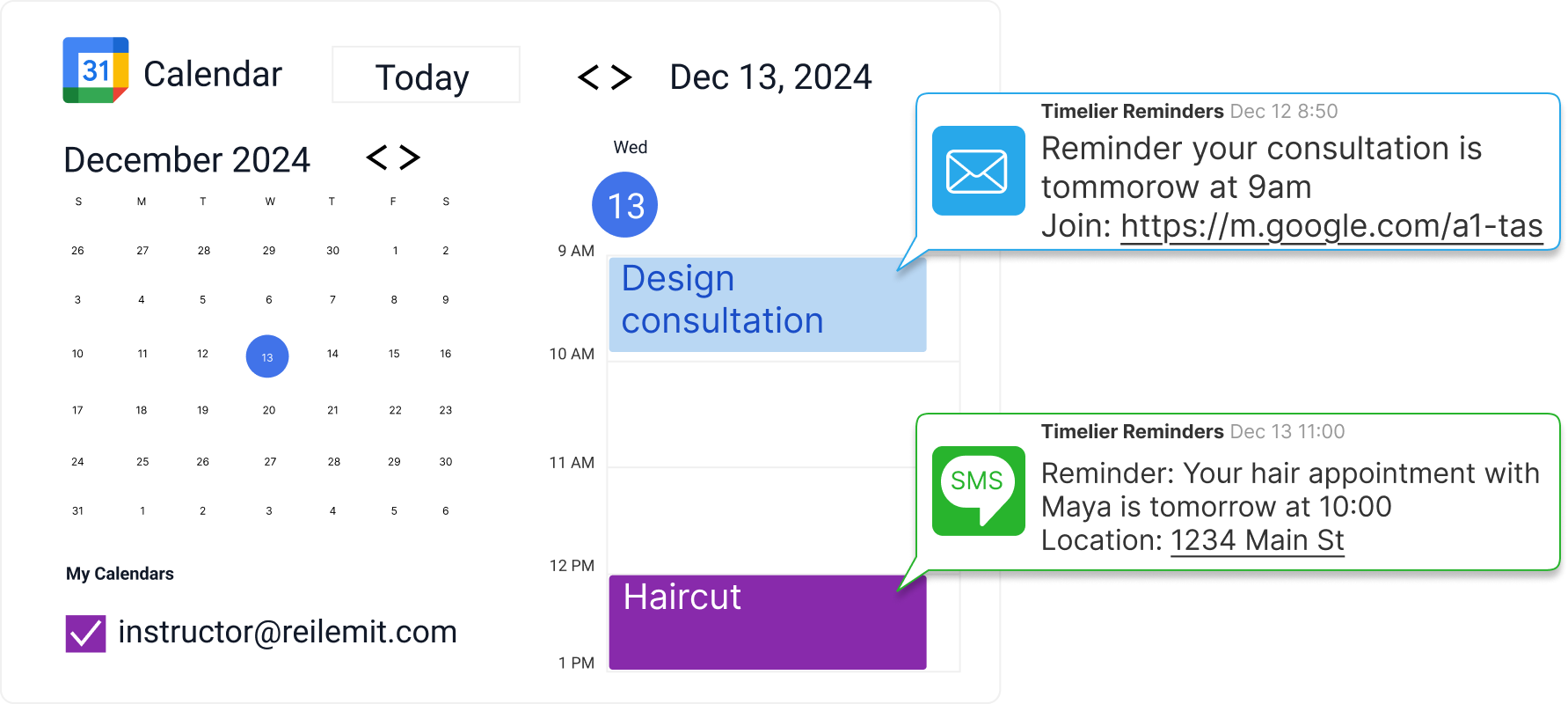
Timelier automatically sends email and SMS reminders for appointments, consultations, estimates, meetings, service calls, bookings, and other scheduled events directly from the calendar you already use.
No complicated CRM.
No expensive scheduling platform.
No new system to manage.

Nothing to download or install.

No credit card required.

reminders from small business google calendar

Stop manually sending “Are we still on?” messages

When you work for yourself or run a small service business, missed appointments are not just inconvenient. They cost you time, money, and momentum.

Clients forget. Prospects miss the calendar invite. Customers are not home when you arrive. Someone books a consultation and then disappears. And somehow, you end up sending reminder texts manually before every appointment.

Timelier helps freelancers, independent contractors, and small businesses:

  • Reduce no-shows and late arrivals
  • Remind clients, customers, and prospects automatically
  • Send different reminders for different types of appointments
  • Save time on manual follow-up texts and emails
  • Keep your day running on schedule
  • Avoid paying for complicated CRM software just to send reminders

Built for the way small businesses actually schedule

Timelier works for appointment-based professionals and instructors who rely on people showing up at the right time, and who just want to use a normal calendar — not deal with a complicated, expensive CRM (Customer Relationship Management program)

You already schedule your work on your calendar. Timelier works with the calendars you already use, including Google Calendar, Apple Calendar, Outlook Calendar, and ICS calendar feeds.

That means you can keep your current workflow and still send professional appointment reminders automatically.

Use it for:

  • Freelance consultations
  • Contractor estimates
  • Home service appointments
  • Beauty and wellness appointments
  • Cleaning appointments
  • Repair visits
  • Photography sessions
  • Coaching calls
  • Design consultations
  • Sales calls
  • Virtual meetings
  • In-person service calls
  • Follow-up appointments
  • Hair appointments

Send reminders to clients, customers, prospects, or yourself

reminders for class/lesson to students and parents

A hair stylist may want to text a client 24 hours before an appointment. A contractor may want to remind a homeowner the morning of an estimate. A freelancer may want to email a prospect 1 day before a Zoom call. A consultant may want to remind both the client and themselves 15 minutes before a meeting starts.

With Timelier, you can send reminders to:

  • The event invitee
  • A phone number or email address listed in the calendar event
  • A fixed person, such as an assistant, dispatcher, or business partner
  • Yourself
  • Multiple people for the same appointment

How Timelier works for small businesses

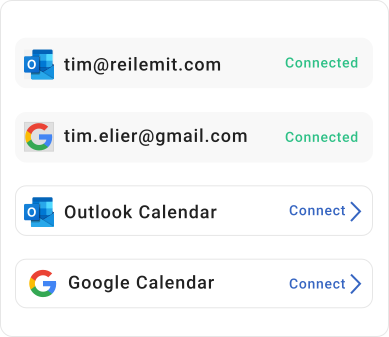
Timelier connects to your Google, Outlook, or ICS calendar and sends reminders based on rules you create.

You can choose:

  • Which calendar Timelier should monitor
  • Which events should trigger reminders
  • Whether reminders are sent by email, SMS, or both
  • When reminders should go out
  • Who should receive them
  • What each reminder should say

Once your rules are set, Timelier runs automatically in the background.

You keep using your calendar the same way you always have. Timelier simply watches for matching events and sends the reminders for you.

Example: reminders for an upcoming consultation

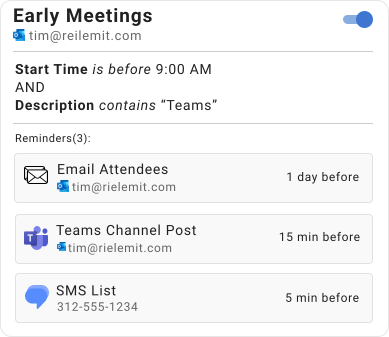
reminder rule for virtual consultations

Jordan is a freelance designer who books discovery calls with new prospects.

Jordan creates a Timelier rule for calendar events that include “consultation” in the subject and “zoom” in the description.
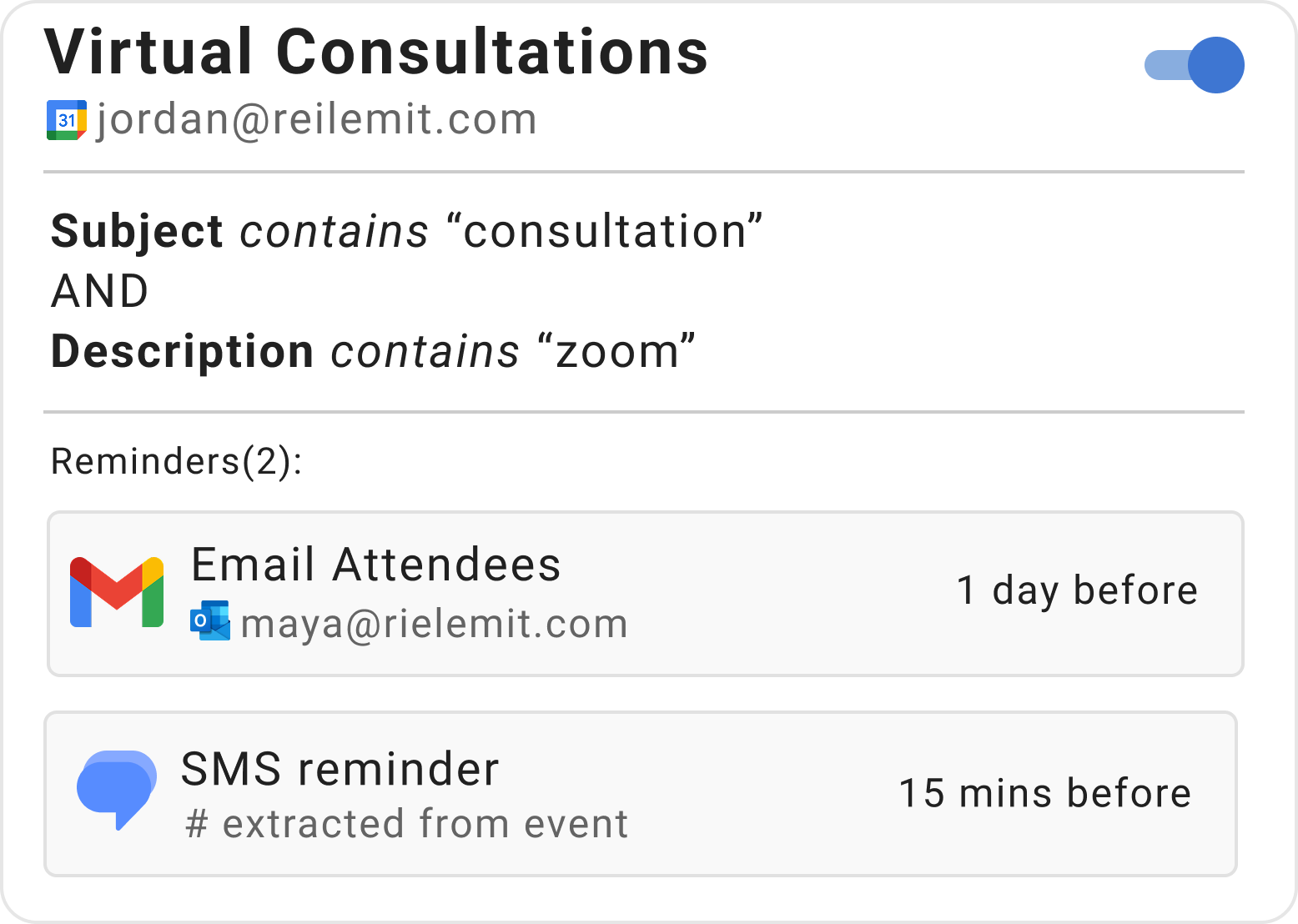
1 day before the meeting, Timelier sends an email reminder:

Reminder: Our design consultation is tomorrow at 11:00 AM.
We will meet here: [meeting link]

15 minutes before the meeting, Timelier sends another reminder:

Your design consultation starts in 15 minutes. Here is the meeting link: [meeting link]

Jordan gets fewer missed calls and spends less time chasing prospects.

Example: reminders for an independent stylist

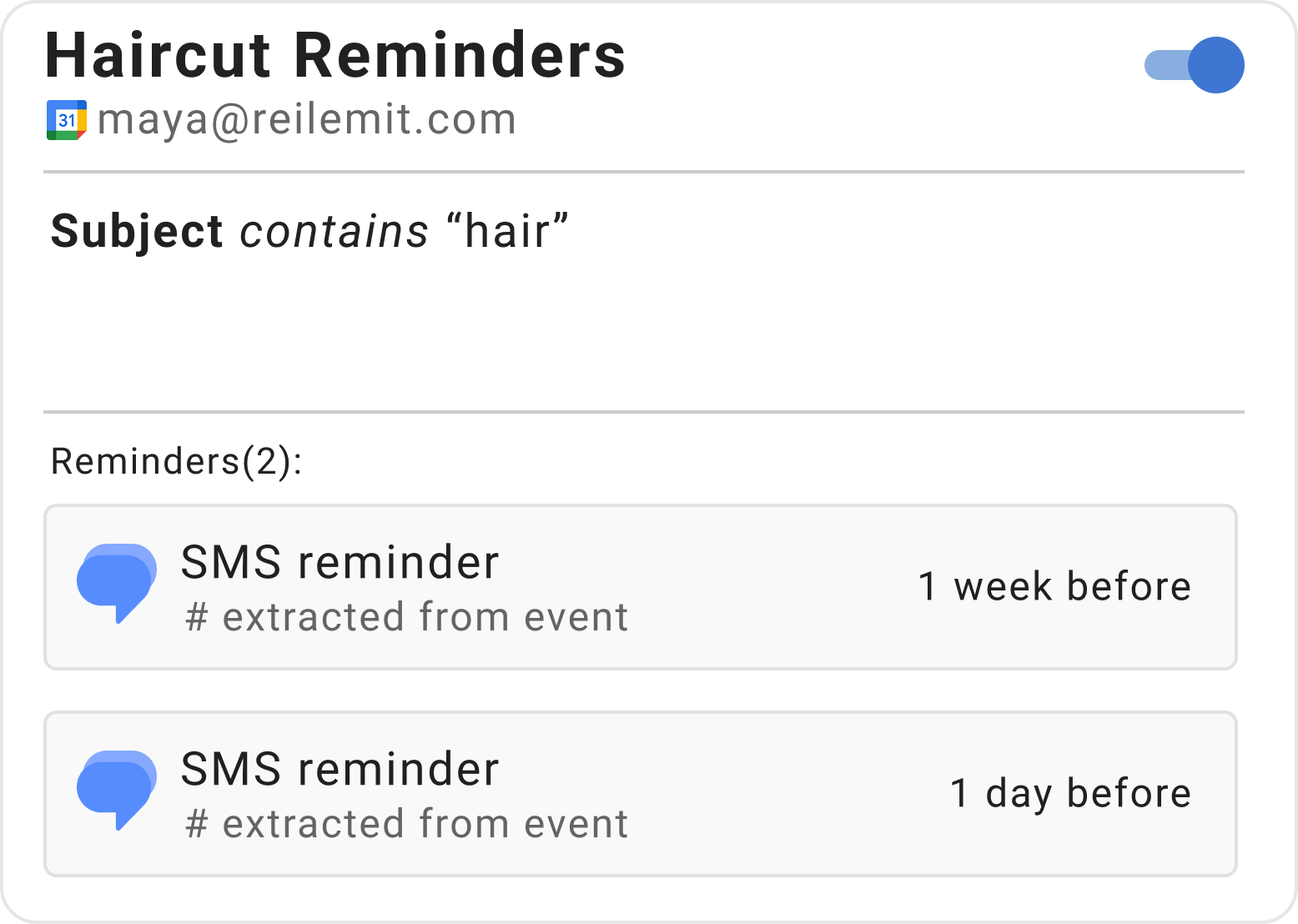
Maya is an independent hair stylist. She uses Google Calendar for client appointments.

She creates a Timelier rule that monitors her calendar for events with “hair appointment” in the subject.

1 week before the appointment, Timelier sends a text message to the client:

Reminder: Your hair appointment is next Wed at 2:00 PM.
Please call 312-555-1234 if you need to reschedule.

2 hours before the appointment, Timelier sends an SMS reminder:

Your hair appointment starts in 2 hours. See you at 2:00 PM!

Maya does not need to manually text every client. She just adds appointments to her calendar, and Timelier handles the reminders.

Tired of chasing people down?

(We know you never need to be 😉)

Who Uses Timelier?

Illustration of a stand-up meeting

Busy Professionals

Start meetings on time.
Stop the "Are you joining?" messages.

appointment based services

Appointment-Based Services

Reduce no-shows and late arrivals. Timelier helps clients show up on time.

Sales Teams

No deal will happen if you or the prospect don't show up!

Families

Stop bearing the weight of keeping your family on time. Let Timelier do it.

illustration of a coach and players

Sports Teams

Timelier makes it easy to stay on top of hectic sports schedules.

host giving keys to guest

Property Managers & Hosts

Make check-ins, showings, maintenance, and turnovers run on time.

People Who Hate Running Late
Love Timelier

“My clients get reminders like clockwork — I don’t even think about it anymore.”

“I don’t have to send reminder texts anymore. Timelier just does it for me.”

“Finally a way to get multiple reminders for my Outlook events!”

“I connected my Outlook calendar and had reminders going out within minutes. Super simple.”

“Our sales reps are having more meetings and starting more of them on time.”

“I use it for work, but also for my family’s shared calendar. No more worrying my husband won’t pick the kids up on time.”

Ready to let Timelier do the reminding?

Learn more with these in-depth articles