Introduction
If your business runs on scheduled meetings, a no-show can throw off more than just one appointment. It wastes a block of time you planned for, interrupts the rhythm of your day, and more often than not, results in revenue that cannot be recovered.
Consultants, service professionals, and home service companies tend to feel this the most. When someone misses a scheduled meeting, a service visit, or even an important client consultation, that time usually remains empty.
For many small businesses, the calendar drives the entire day. Work moves forward meeting by meeting and appointment by appointment. Think about how many professionals rely on scheduled time with clients, such as:
- Financial advisors sitting down with clients for reviews
- Consultants holding strategy or planning sessions
- Sales teams conducting client consultations or discovery calls
- HVAC technicians planning service stops along a route
- Plumbers, electricians, and other home service pros visiting multiple homes in a day
Even a handful of missed appointments each week can quietly reduce productivity and create unnecessary gaps in the schedule. The interesting part is that most clients are not skipping meetings on purpose. In many cases, the appointment simply slips their mind. A busy schedule, a crowded calendar, or a long gap between booking and the meeting is usually all it takes.
So how do you eliminate no-shows without constantly babysitting your calendar? Google Calendar can send guest reminders, but they’re manual. Outlook handles it differently. And neither makes it easy if you also want SMS or text reminders. Before long, you're managing reminders instead of focusing on the meeting itself.
So how do you eliminate no-shows without constantly babysitting your calendar? It's true that Google Calendar can send reminders to guests, but they often need to be set up manually. And if you prefer Microsoft tools, the process isn’t much simpler, especially when it comes to sending a meeting reminder in Outlook. Add in the need for SMS or text reminders which neither of those platforms natively support, and managing it all quickly becomes inconsistent.
Benefits of Automated Meeting Reminders
Automated reminders, whether they are email or text reminders, help keep appointments in focus. A simple notification before the meeting can be enough to prompt clients to show up, confirm, or reschedule.
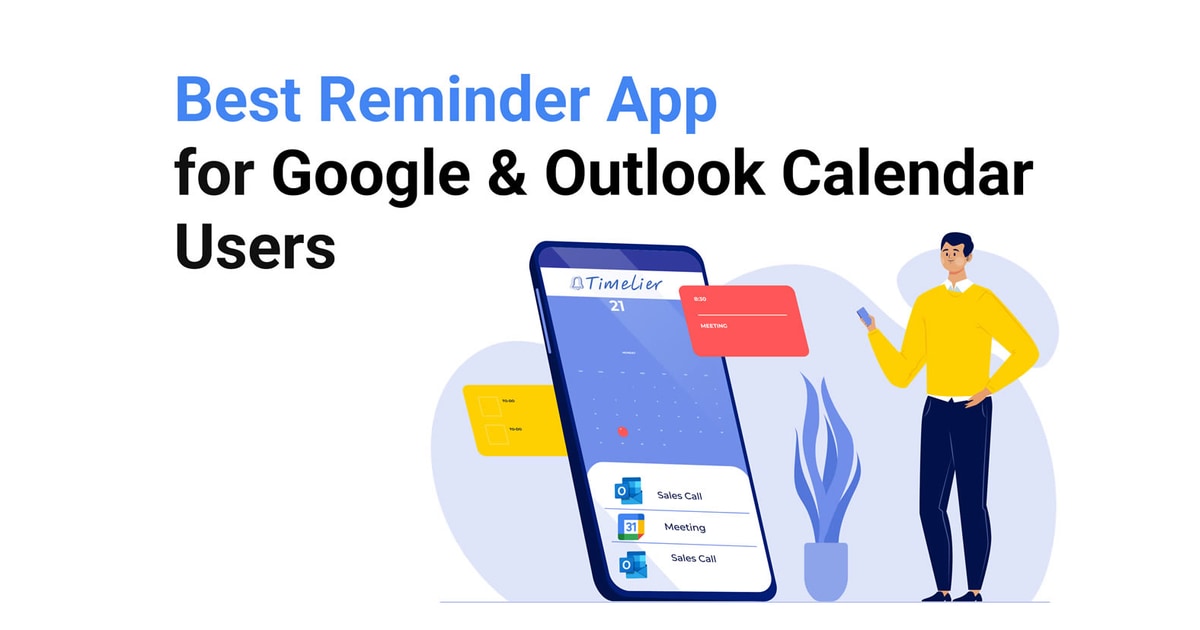
That is where Timelier comes in! It can automatically send meeting reminders through your Google or Outlook calendars, and it helps your keep your calendars full, reduce no-shows, and run a much smoother schedule overall.
Key Benefits:
With email and SMS text reminders handled automatically, business owners spend less time chasing confirmations and more time focusing on the work that actually grows and supports their business needs. Over time, even small improvements in attendance can make a noticeable difference in productivity and revenue.
Eliminate No-shows by Automating Meeting Reminders Today!
Connect your calendar in 60 seconds. No new booking software required.
Try Timelier for FreeNo Credit Card Required for Trial
With Timelier, you can:
Automate Appointment Reminders
Timelier automatically sends reminders before every scheduled meeting so clients never forget their appointments. This consistent communication helps keep your calendar full and reduces missed meetings.
Send Email, SMS Text, or Both!
Send reminders where the people need them! Whether that's in email or to their phones, you can schedule reminders to be sent at the intervals you need, to assure they show up on time, every time!
Create Custom Reminder Schedules
Set reminders to go out immediately after booking, a day before the appointment, and again shortly before the meeting. Timelier allows you to create a reminder sequence that fits your business schedule.
Remove the Need for Manual Follow Ups
Sending reminder emails or texts one by one takes time and often gets skipped during busy days. Timelier handles the reminders automatically so every appointment receives the same consistent communication.
Reduce the Chances of Clients Forgetting
People forget appointments more often than they cancel them. Timelier sends friendly reminders ahead of scheduled meetings so clients remember the commitment they made and show up prepared.
The Reminder Strategy That Actually Works
Businesses that successfully reduce no-shows, rarely rely on a single reminder. Instead, they create a simple communication sequence of messages that keeps the appointment visible to everyone involved.
A typical reminder schedule might include:
- A confirmation when the appointment is booked
- An email reminder sent a day or two before the meeting
- A final text message reminder a few hours before the appointment
This approach keeps the meeting fresh in the client’s mind and gives them time to confirm or reschedule if necessary.
The challenge many of us face is that sending reminders manually for every appointment quickly becomes unrealistic and they slowly fall through the cracks of a busy schedule. Once your calendar fills with meetings, it becomes just another task on an already busy day.
That is where automation becomes incredibly valuable, and the goal is simple. Make it very difficult for clients to forget.
When reminders arrive at the right time, meetings stay visible in the client’s schedule, attendance improves, and business owners spend less time worrying about empty time slots.
FAQ
How can small businesses reduce missed appointments?
What is the best way to remind clients about meetings?
Can automated reminders really reduce no-show rates?
Are automated meeting reminders useful for home service businesses?
How does Timelier help consultants and service professionals stay organized?
Conclusion
Running a small business already requires wearing many hats. Sending reminder messages for every meeting should not be one of them. Timelier takes that responsibility off your plate by handling appointment reminders automatically.
With consistent reminders in place, clients show up more often, meetings run on time, and your calendar becomes a reliable source of revenue instead of uncertainty. For businesses that depend on timely appointments, that kind of reliability can make all the difference in eliminating no-shows and staying on schedule every day!