SMS & Text Message Reminders for Google, Outlook, Apple iCloud, and ICS calendars

Send automated SMS text reminders for events, meetings, appointments, and critical tasks directly from your Google, Outlook, Apple iCloud, or ICS calendar.
Start Free Trial → 98% open rate • No credit card required
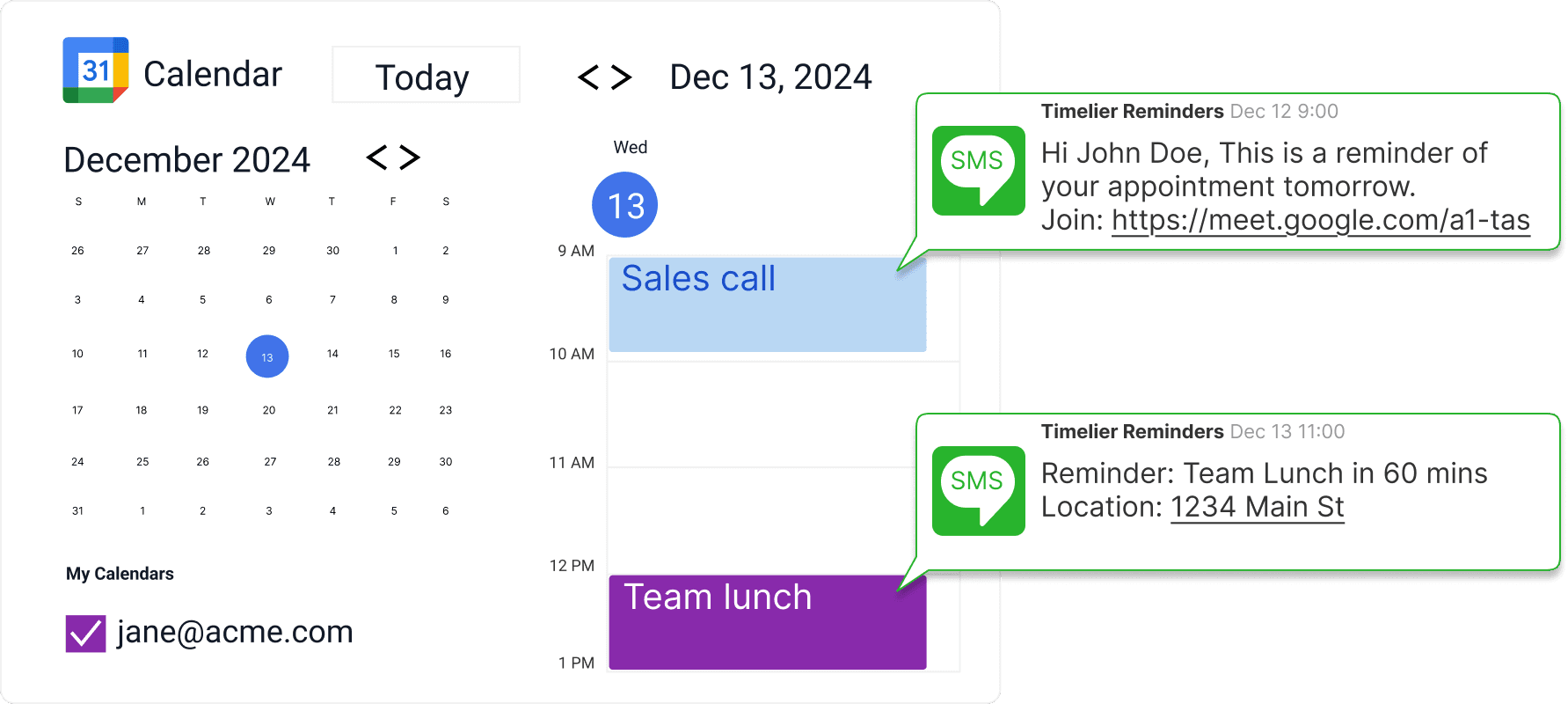
Google calendar with chat bubbles representing SMS messages sent for appointments

Why Use SMS Reminders for Important Appointments?

SMS text message reminders are one of the most effective ways to reduce no-shows, last-minute cancellations, and missed appointments. With open rates consistently above 90%, text messages ensure your reminders are seen quickly—usually within 3 minutes of arrival.

Businesses that rely on scheduled appointments—consultants, therapists, personal trainers, educators, and contractors—lose thousands in billable hours when clients forget to show up. Timelier stops the revenue leak automatically.
  • Drastically Cut No-Shows: Reach guests directly in their primary text inbox without getting buried in promotional email folders.
  • Protect Billable Revenue & Schedule Flow: Timely SMS reminders keep your entire daily schedule running smoothly.
  • Reach On-the-Go Clients: Many clients—busy parents, students, patients, and field-contractors—rarely check emails during the day, but check text messages almost immediately.
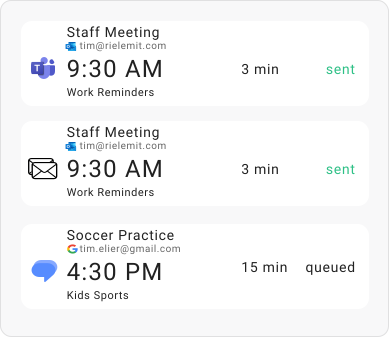
Automated SMS Reminder Delivery Preview

Keep Working in the Calendar You Already Love

You never need to copy-paste names into a separate SMS app or manually send text reminders beforehand. Simply add an event to Google Calendar, Outlook, or Apple iCloud Calendar as you normally do.
  • Personalized Messages: Include the guest name, appointment time, Zoom link, or address dynamically.
  • Dynamic Phone Number Detection: Timelier automatically extracts mobile numbers from calendar events.
  • Cloud Sync: Changes you make to your appointments automatically update in Timelier.
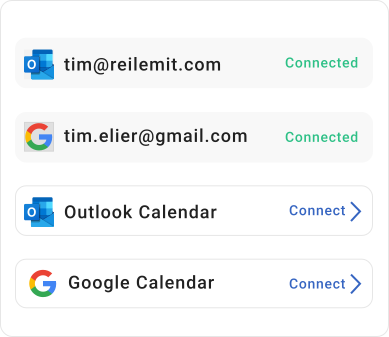
Connect Google and Outlook Calendar for SMS

Custom Reminder Cadence

Trigger text alerts 1 week before, 2 hours before, 15 minutes before, or at multiple stages customized to your workflow.

Automatic Phone Extraction

Automatically detects and pulls client phone numbers directly from event descriptions.

Flexible Recipient Control

Send texts to clients, attendees, staff members, or yourself flexible rules give you total control.

Smart Event Filtering

Reminders only trigger for the exact appointments you want based on rules you set up.

How Timelier SMS Reminders Work

Timelier automatically sends SMS text reminders based on your calendar events and reminder rules. Once set up, reminders run silently in the background with zero maintenance. Here are two real-world examples in action.

Example: 1-Week and 2-Hour Reminders for Specific Appointment Types

This rule monitors a Google Calendar for appointments that have “Consultation” OR “Session” in the subject line. (These keywords are completely customizable to match your business terminology).
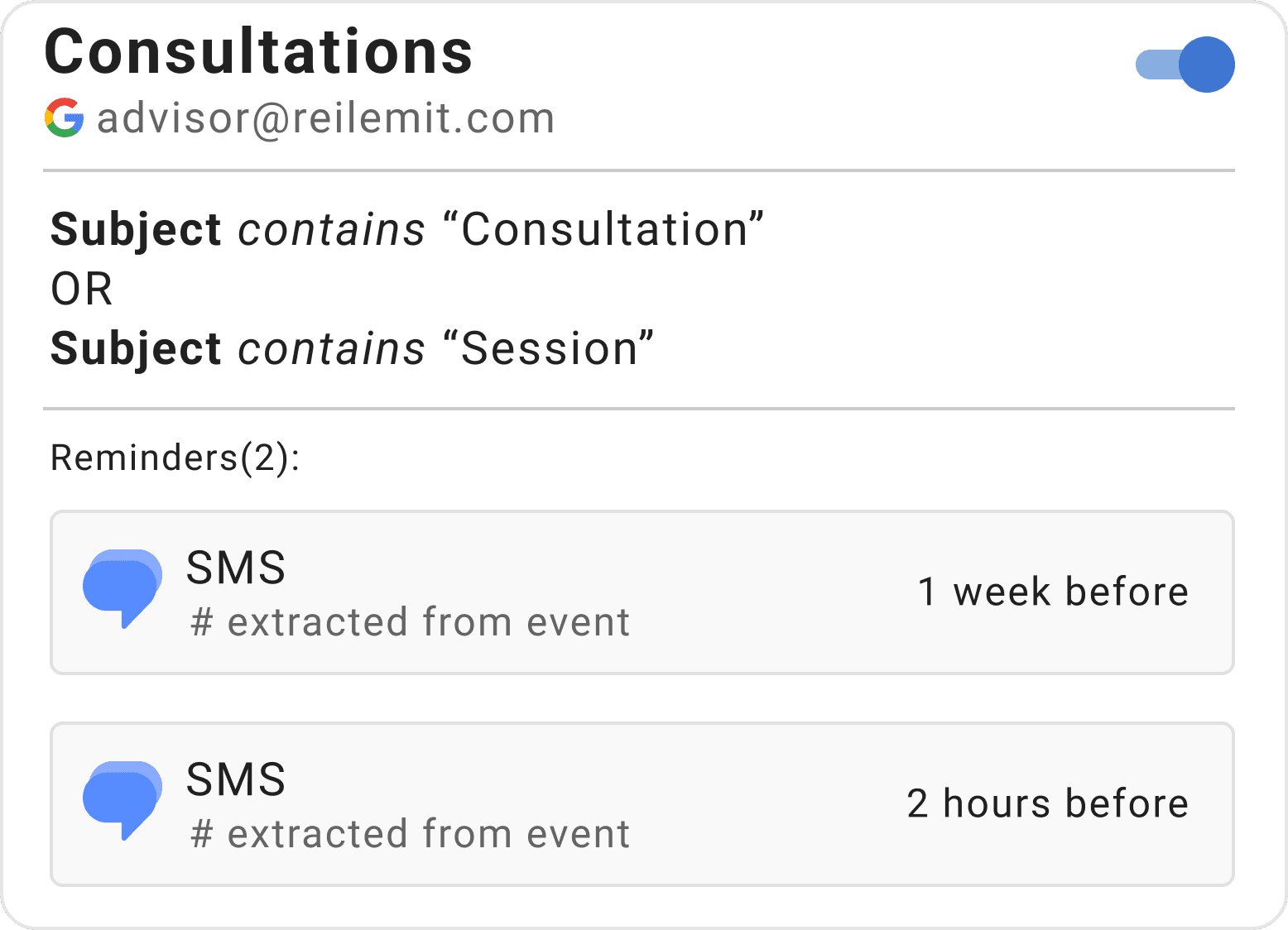
  • Staged Two-Step Reminders: Sends clients an initial confirmation text 1 week before to lock in the appointment, followed by a final nudge 2 hours before session time.
  • Automatic Phone Extraction: Extracts the client's mobile number directly from the event details on your calendar—no manual contact entry needed.
  • Zero Dashboard Upkeep: Once configured, you control everything directly by creating calendar appointments as usual; Timelier handles the rest.
Example reminder rule for consultation appointments in Timelier showing Google Calendar integration

Example: 15-Minute Reminders to Both Provider and Client

This rule monitors an Outlook Calendar for events that have both “Virtual” AND “sally” in the subject line.
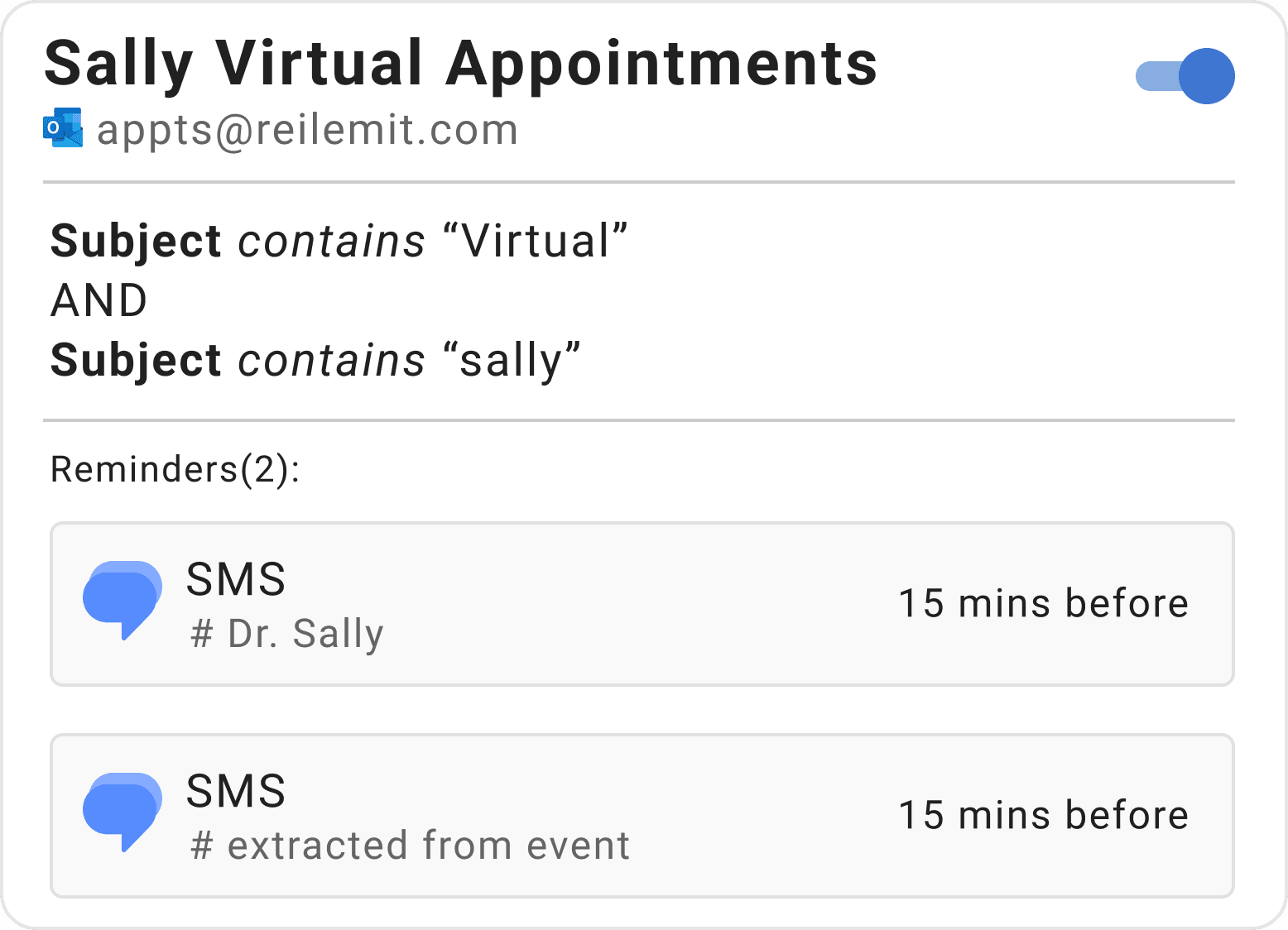
  • Dual-Party Text Delivery: Dispatches two distinct 15-minute SMS alerts simultaneously: one directly to Dr. Sally's personal mobile, and one to the client.
  • Simple Calendar Tagging: Creating an event like “Sally & Jane Doe – Virtual Visit” with “sms reminder: 555-123-4567” in the description triggers the entire automated flow.
  • Eliminate Missed Video Visits: Both parties receive an instant text notification right before the call starts, preventing delayed virtual check-ins.
Example reminder rule for virtual appointments in Timelier showing Outlook Calendar dual-recipient reminders

Frequently Asked Questions

Common questions about automated SMS text message reminders for Google Calendar, Outlook, and Apple iCloud.

How does Timelier extract client mobile phone numbers from calendar events?

Timelier's intelligent parser scans your calendar event notes, descriptions, locations, and titles for valid domestic and international phone numbers. It automatically pairs the client's number with the scheduled alert—no manual contact list needed. Learn more in our guides on Google Calendar SMS text reminders and Outlook Calendar SMS reminders.

Can I send automated SMS reminders for Google Calendar booking pages?

Yes. When appointments are booked through Google Calendar appointment schedules or booking pages, Timelier automatically captures the event, extracts the attendee's phone number, and sends your configured SMS sequence. Read our tutorial on automated reminders for Google Calendar booking pages.

Start Sending SMS Reminders in Minutes

Connect your calendar and send your first automated text alert today. No credit card required.

Create Your Free Account →