

Nothing to download or install.
No credit card required.
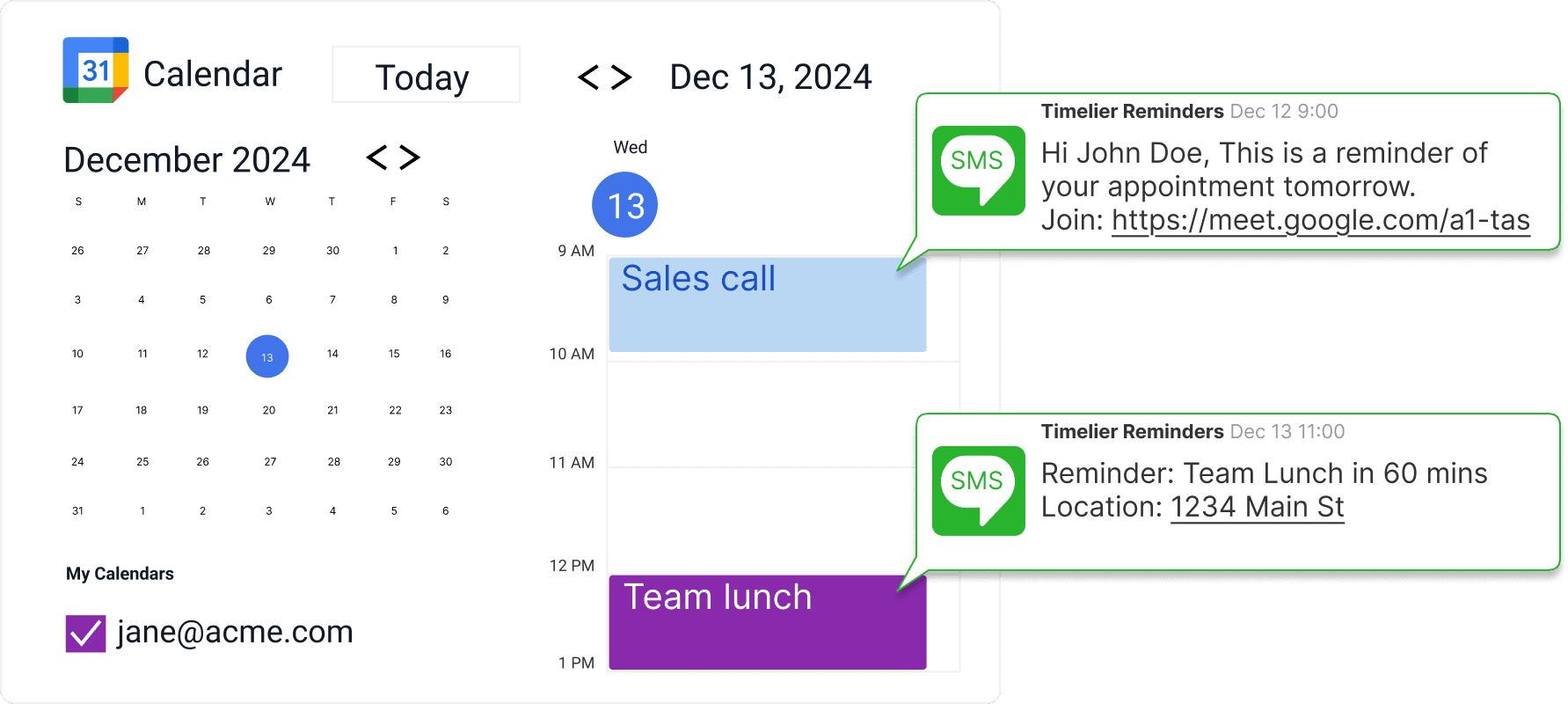
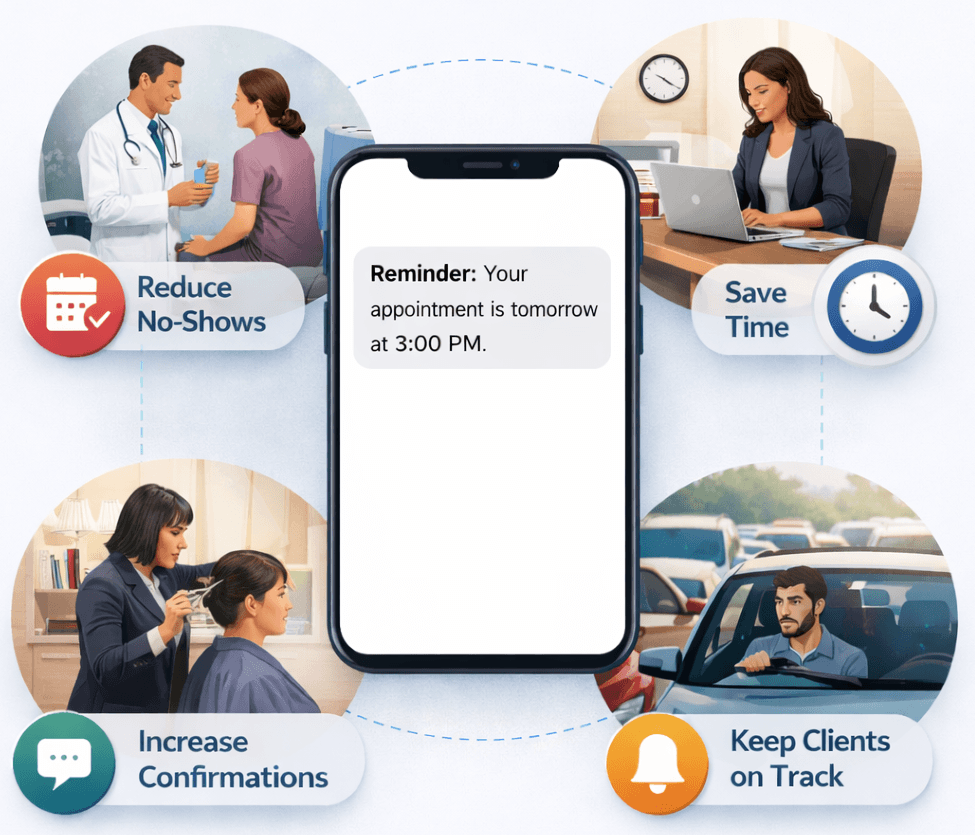
SMS text message appointment reminders are one of the most effective ways to reduce no-shows, last‑minute cancellations, and missed appointments. With open rates consistently above 90%, text messages ensure your reminders are seen quickly—often within minutes.
Timelier makes it easy to send automated, personalized SMS appointment reminders at exactly the right time, without manual follow‑ups or complex workflows.
Businesses that rely on scheduled appointments—healthcare providers, professional services, fitness studios, educators, and consultants—lose time and revenue when clients forget to show up. Automated SMS reminders help you:
Timelier automatically sends SMS reminders based on your calendar events and reminder rules. Once set up, reminders run in the background—no ongoing maintenance required.
Key features include:
Custom reminder timing (e.g., 24 hours before, 2 hours before, or multiple reminders)
Personalized message content using appointment details
Automatic opt‑out handling to stay compliant with SMS regulations
Reliable delivery via trusted messaging infrastructure
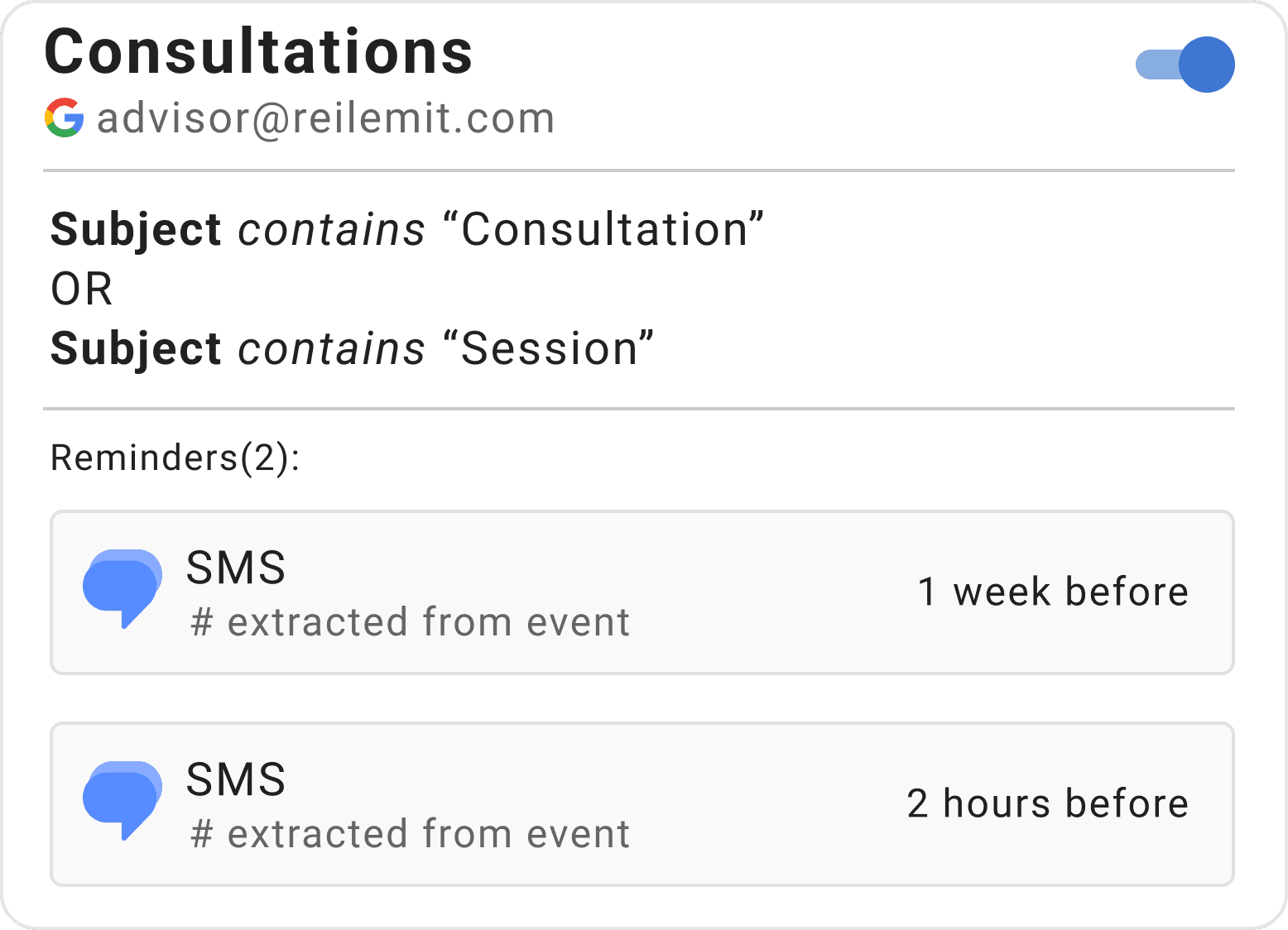
This rule monitors the [email protected] Google calendar for events that have “Consultation” or “session” in the subject. (These are just examples — your rule could look for any words you use in your business.)
It then sends two SMS reminders for these appointments. The first is sent 1 week before the appointment and the second is sent 2 hours before the appointment.
In both cases, the phone number will be extracted from the event itself. This allows controlling the reminders entirely from the user’s calendar with no need to manage individual reminders in Timelier.
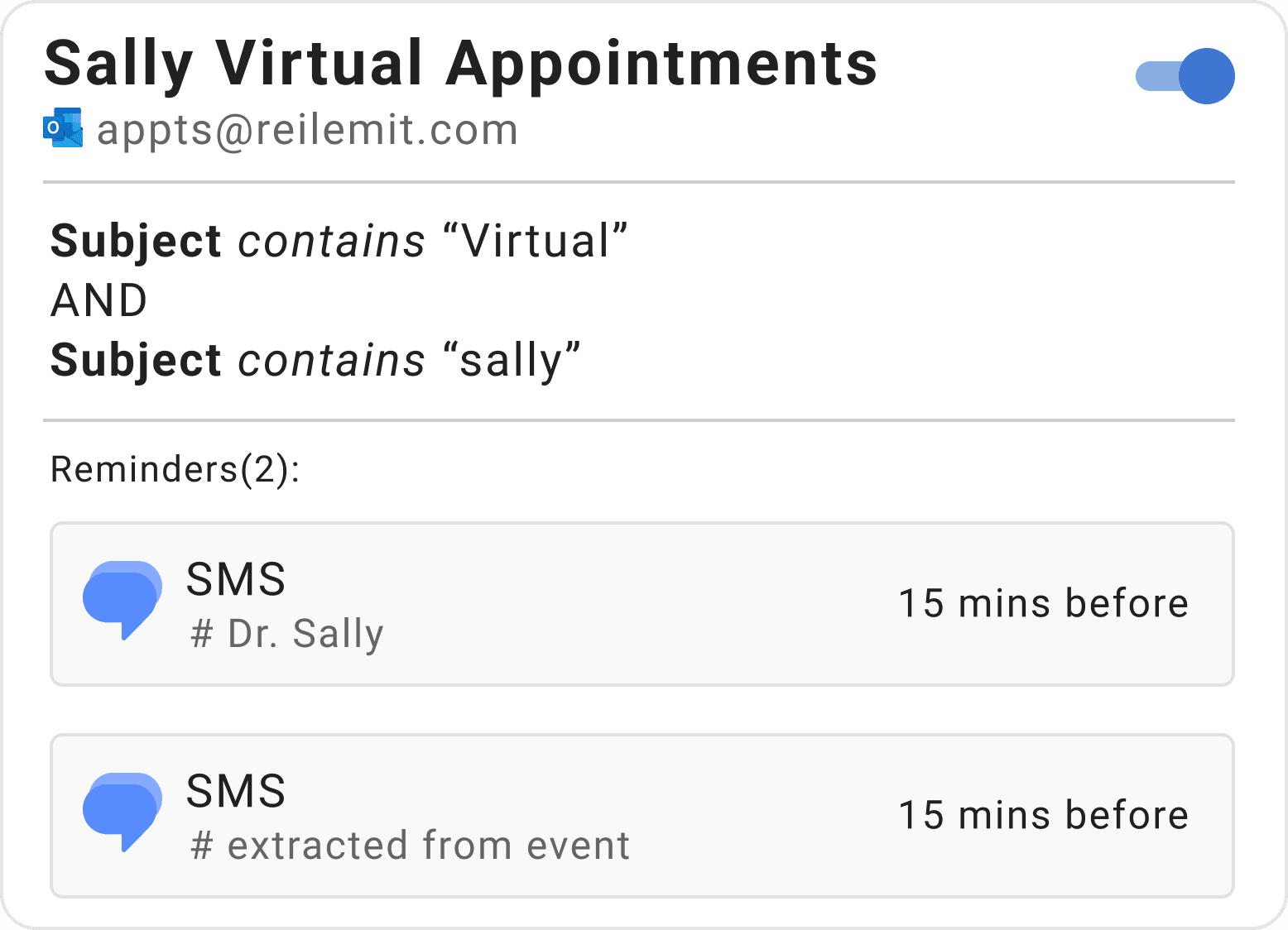
This rule monitors the [email protected] Outlook calendar for events that have “virtual” and “sally” in the subject. (These are just examples — your rule could look for any words you use in your business.)
This rule sends two 15-minute SMS reminders for these appointments: One to sally (her number is set in the rule itself); and one to the client’s phone number which is extracted from the event on the calendar.
By simply creating an event named “Sally & [client name] – virtual visit” on the Outlook calendar, and typing “reminder:[client’s phone number]” in the description of the event, the desired SMS reminders will automatically sent 15 minutes before the appointment.

Start meetings on time.
Stop the "Are you joining?" messages.

Stop bearing the weight of keeping your family on time. Let Timelier do it.

No deal will happen if you or the prospect don't show up!

Timelier makes it easy to stay on top of hectic sports schedules.

“My clients get reminders like clockwork — I don’t even think about it anymore.”
“I don’t have to send reminder texts anymore. Timelier just does it for me.”
“Finally a way to get multiple reminders for my Outlook events!”
“I connected my Outlook calendar and had reminders going out within minutes. Super simple.”
“Our sales reps are having more meetings and starting more of them on time.”
“I use it for work, but also for my family’s shared calendar. No more worrying my husband won’t pick the kids up on time.”