

Greminders Alternative: Timelier vs Greminders (2026 Comparison)

Timelier vs GReminders

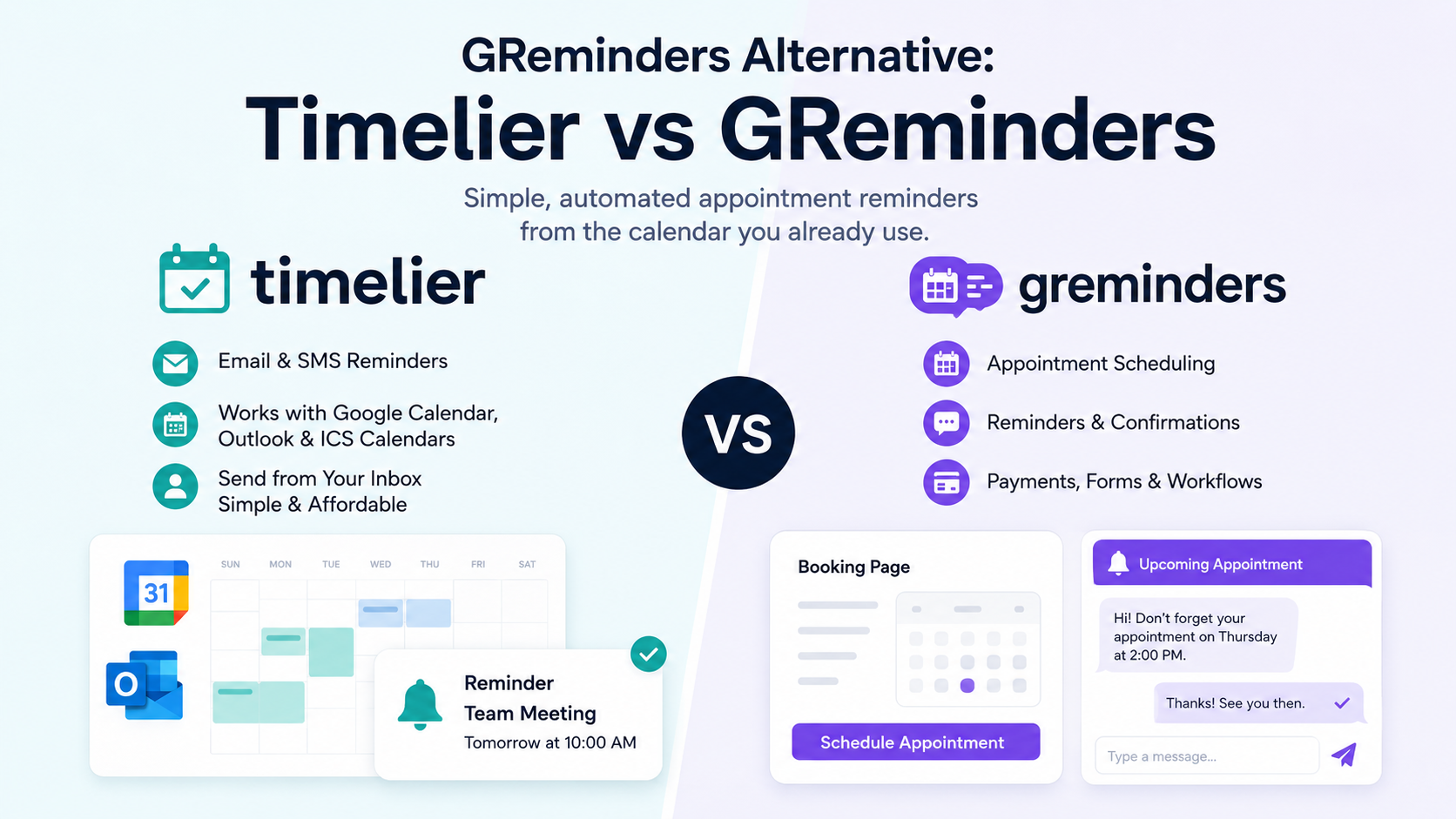
Greminders is an all-in-one scheduling and booking platform best suited for financial advisors needing deep CRM integrations. Timelier is a flexible, highly affordable reminder automation tool designed for both professionals aiming to eliminate no-shows and individuals wanting to send automated reminders to themselves, their families, or sports teams based on their existing Google, Outlook, or ICS internet calendars.

Pricing Breakdown: Which is more affordable?

Pricing is often the biggest deciding factor when comparing GReminders to alternatives. If all you need is reminders, Timelier gives you more for less. If you need additional scheduling functionality, GReminders has higher priced options with that functionality.

  • Greminders: Typically ranges from $8 to $47+ per user per month depending on the CRM integrations and SMS credits needed.
  • Timelier: Built for value. Timelier offers highly accessible flat-tier pricing that makes it a no-brainer for small businesses, solo professionals, individuals, families and team who simply want to automate their calendar reminders without paying enterprise rates.

Quick Comparison at a Glance

Feature / CapabilityTimelierGreminders
Primary AudienceSolo Professionals, Small Businesses, Individuals, & FamiliesFinancial Professionals & Firms
Primary FocusAutomated Reminders based on existing eventsAll-in-One Booking & Scheduling
Calendar SyncGoogle, Microsoft (Outlook), & Internet/ICS CalendarsGoogle, Microsoft (Outlook), Redtail, Wealthbox
Send Emails from Your Own InboxYes No (System-sent)
CRM IntegrationsNoYes (Salesforce, Redtail, Wealthbox, etc.)
Flexible Filtering RulesYes – Send reminders only for the events that need them.Limited

When to Choose Timelier

Timelier is the best Greminders alternative if you fall into one of these categories:

  • You want an affordable way to send reminders: It is perfect for sports teams, families, and solo professionals where enterprise per-user pricing simply doesn’t make sense.
  • You already have a scheduling flow (or don’t need one): If you already use Calendly or just manually put events on your Google or Outlook calendar, Timelier runs quietly in the background without forcing you to change how you book meetings.
  • You use systems that publish ICS URLs: Timelier can connect directly to Internet/ICS calendars, making it easy to pull in schedules from third-party sports leagues, school portals, or custom tools.
  • You want emails sent directly from your own account: Timelier connects to your Google or Microsoft account to send emails that look exactly like personal follow-ups, rather than automated “do not reply” blasts.

When to Stick with Greminders

Greminders is a very powerful tool. You should stick with it if:

  • You need an all-in-one booking page: You want clients to be able to pick a time slot and schedule themselves directly on your page.
  • You require deep financial CRM integration or HIPAA compliance: Greminders is built heavily for the financial and medical sectors, integrating tightly with Wealthbox, Redtail, and others.

Feature Deep Dive

Reminder Automation & Precision Rules

Timelier stands out with its advanced filtering rules. Rather than sending a reminder for every event on your calendar, you create rules so reminders only go out for the exact events you want. For example, you can configure rules to only trigger if an event contains a specific keyword, or to only email attendees who have marked their RSVP status as “Tentative”.

In contrast, Greminders tends to send reminders for any event on your calendar where it detects a phone number or email address in the subject or description. This lack of filtering can be highly problematic. For instance, if an event contains a standard web conference link (which almost always includes several dial-in phone numbers) or mentions other people’s email addresses in the meeting notes, Greminders might accidentally blast automated text messages or emails to those unintended contacts. Timelier’s precise rule system prevents these embarrassing misfires.

Group & Personal Reminders

Timelier shines for personal use. Connect your family calendar to automatically text your spouse when it’s their turn for carpool, or connect a sports team’s ICS feed to automatically email players 24 hours before a game.

Frequently Asked Questions

What is the best alternative to GReminders for simple calendar reminders?

Timelier is the best alternative if you are looking for simple, affordable calendar reminders. It doesn’t force you to use a new booking system; instead, it attaches to your existing Google, Outlook, or ICS calendar and sends automated SMS and email reminders based on your rules.

Can I use Timelier for personal reminders or my family calendar?

Yes! Timelier is highly affordable and perfect for personal use cases like family calendars, sports team schedules, and personal to-do lists.

Does Timelier replace my calendar booking software?

No. Timelier works alongside your native Google or Microsoft Calendar, or alongside tools like Calendly. It handles the reminders so you can keep using the scheduling tools you already love.

Tired of chasing people down?

(We know you never need to be 😉)

Who Uses Timelier?

Illustration of a stand-up meeting

Busy Professionals

Start meetings on time.
Stop the "Are you joining?" messages.

appointment based services

Appointment-Based Services

Reduce no-shows and late arrivals. Timelier helps clients show up on time.

Sales Teams

No deal will happen if you or the prospect don't show up!

Families

Stop bearing the weight of keeping your family on time. Let Timelier do it.

illustration of a coach and players

Sports Teams

Timelier makes it easy to stay on top of hectic sports schedules.

host giving keys to guest

Property Managers & Hosts

Make check-ins, showings, maintenance, and turnovers run on time.

People Who Hate Running Late
Love Timelier

“My clients get reminders like clockwork — I don’t even think about it anymore.”

“I don’t have to send reminder texts anymore. Timelier just does it for me.”

“Finally a way to get multiple reminders for my Outlook events!”

“I connected my Outlook calendar and had reminders going out within minutes. Super simple.”

“Our sales reps are having more meetings and starting more of them on time.”

“I use it for work, but also for my family’s shared calendar. No more worrying my husband won’t pick the kids up on time.”

Ready to let Timelier do the reminding?

Learn more with these in-depth articles